Use the timeline
The Timeline is one of the most powerful features of the NUVIEW Platform for Monitoring projects. It lets you browse and compare satellite imagery collected over time at your sites.
Opening the Timeline
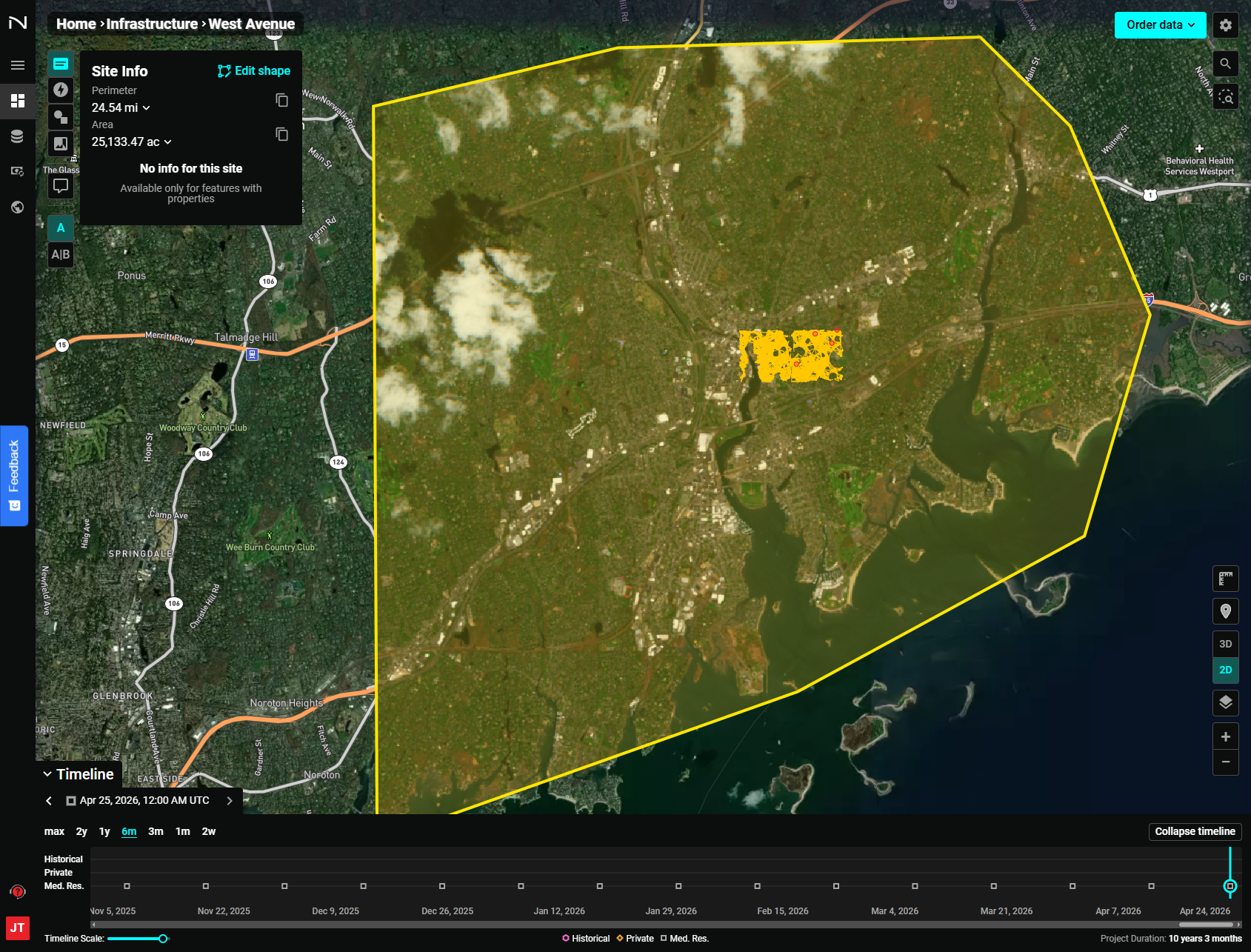
When you are inside a site within a Monitoring project, the Timeline appears at the bottom of the screen. If it's collapsed, click the Timeline button at the bottom-left to expand it.
Timeline Controls
Date Range Toggles
Use the range buttons to adjust how much history is displayed on the timeline:
| Toggle | Description |
|---|---|
| max | Show all available imagery for the full project duration |
| 2y | Show the last 2 years |
| 1y | Show the last 1 year |
| 6m | Show the last 6 months (default) |
| 3m | Show the last 3 months |
| 1m | Show the last 1 month |
| 2w | Show the last 2 weeks |
Timeline Scale Slider
Below the date range toggles, a slider lets you fine-tune the scale of the timeline view.
Imagery Date
The current imagery date is displayed at the top of the timeline. Use the left/right arrows to step backward or forward through available imagery dates.
Imagery Legend
Below the timeline, a legend shows which imagery sources are represented:
- LiDAR - A set of multiple different sources of LiDAR 3D Point Clouds. Sources include USGS LiDAR 3DEP dataset in Entwine format, USGS LiDAR 3DEP COPC dataset from Microsoft Planetary Computer, Alaska Point Cloud LiDAR collections across selected areas hosted on the NUVIEW Multi-State Geospatial Data from AWS Open Registry
- Historical — Archive imagery from before the project was created
- Private — High-resolution imagery you have ordered
- Med. Res. — Medium-resolution imagery (e.g., Sentinel-2, updated approximately every 2 weeks)
Collapse the Timeline
Click Collapse timeline to hide the timeline and maximize the map view. Click Timeline again to bring it back.
Imagery Availability
By default, Monitoring projects include standard medium-resolution Sentinel-2 imagery starting from one year before the project was created. This imagery updates approximately every two weeks.
High-resolution imagery that you have ordered or purchased will appear on the timeline from its collection date forward.
Using the Timeline to Track Change
Use the timeline to compare imagery from different dates and observe how your sites evolve over time. For direct image-to-image comparison, use the A|B Side-by-side comparison feature.